60 FPS over USB* · ~27 ms · Built for performance
The world's best
Mac-to-Android mirroring
Mirror your entire Mac to your Android tablet. 60 FPS over USB, about 27 ms latency. Feels almost native.
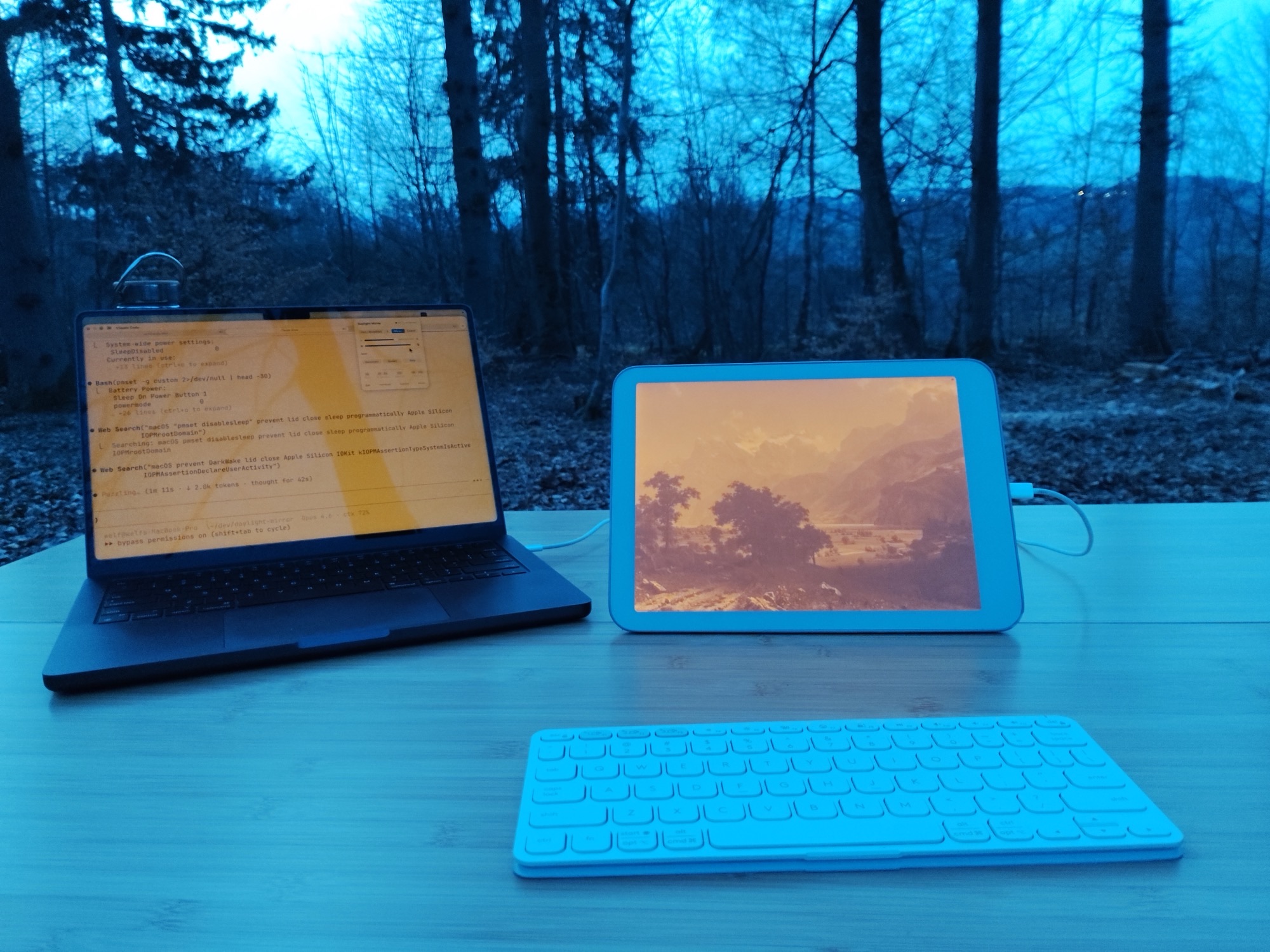
Mirror your entire Mac to your Android tablet. 60 FPS over USB, about 27 ms latency. Feels almost native.
Hardware-accelerated encoding on your Mac, decoded natively on Android. 60 FPS with USB 3.0, 30+ FPS with USB 2.0. Both feel smooth.
Close your MacBook, use the tablet as your only display. SuperMirror prevents sleep automatically — your Mac stays active.
Control SuperMirror from the terminal. Script it, automate it, integrate it into your workflow. Perfect for developers.
Automatically adapts to your tablet's native display resolution. Every pixel is sharp, every detail preserved.
Lives in your menu bar. Auto-discovers tablets on your network, remembers settings, connects in one click.
Uses Apple's hardware encoder — zero GPU overhead, zero impact on your other work. Your Mac stays cool and quiet.
Tab S9, S8 series — USB 3.2, full 60 FPS. Tab S9 FE (USB 2.0): 30+ FPS at native res, 60 FPS in HiDPI mode.
USB 3.2, 2560x1600 — 60 FPS over USB. Great as a hub display for your Mac.
Tab Ultra C, Note Air, Go series. Dedicated greyscale pipeline — e-ink refresh rate is the limit, not bandwidth.
Tab P12, P11, Yoga Tab. USB 2.0 models: 30+ FPS at native res, 60 FPS in HiDPI mode. Great portable second screen.
First-class support. USB 3.0, 1600x1200 native — confirmed 60 FPS, ~27 ms. The gold standard.
OnePlus Pad, Xiaomi Pad and others work if they run Android 7.0 or later on 64-bit ARM. Performance varies by USB spec.
For best performance, use a USB 3.0 cable (~$5). USB 2.0 works great — 30+ FPS guaranteed, 60 FPS with HiDPI mode.
WiFi works only on tablets that already allow network debugging, such as the Daylight DC-1. macOS 14+ required on a Mac. Linux needs Wayland.
Download the DMG, drag to Applications, open from Spotlight. A setup wizard walks you through permissions.
Plug in over USB. SuperMirror auto-detects your tablet and installs its companion app.
Pick a resolution, click Start. Your Mac screen appears on the tablet in seconds — full touch input included.
One-time purchase. No subscription. No account.
Buy SuperMirror Download Free TrialAndroid tablets that run Android 7.0 or later on 64-bit ARM (arm64-v8a). Many Samsung Galaxy Tab, Google Pixel Tablet, Boox, Lenovo, OnePlus, Xiaomi and Daylight DC-1 models meet this. A tablet with a 32-bit Android system does not work, even if its chip is 64-bit. The tablet needs USB debugging and a USB data cable.
About 27 ms over USB. WiFi adds delay that depends on your network. At 60 FPS, cursor movement and scrolling feel native. Most users can't tell it's mirrored.
Use USB. It gives you about 27 ms latency and charges your tablet at the same time. WiFi works only on tablets that already allow network debugging, such as the Daylight DC-1. WiFi adds delay that depends on your network.
SuperMirror detects your tablet's native resolution and creates a matching virtual display on your Mac. You can also choose custom resolutions. Every pixel maps 1:1 — no scaling artifacts.
Yes. Tap, scroll, drag, and multi-touch gestures all work. Your Android tablet becomes a touchscreen Mac. The companion app handles all input translation automatically.
SuperMirror automatically installs a lightweight companion app on your tablet when you first connect via USB. No configuration needed.
Any Mac running macOS 14 (Sonoma) or later. Apple Silicon (M1, M2, M3, M4) and Intel Macs are both supported. The hardware encoder works across all models.
Free 7-day trial. $29 one-time. No account needed.
Download SuperMirror